
Description
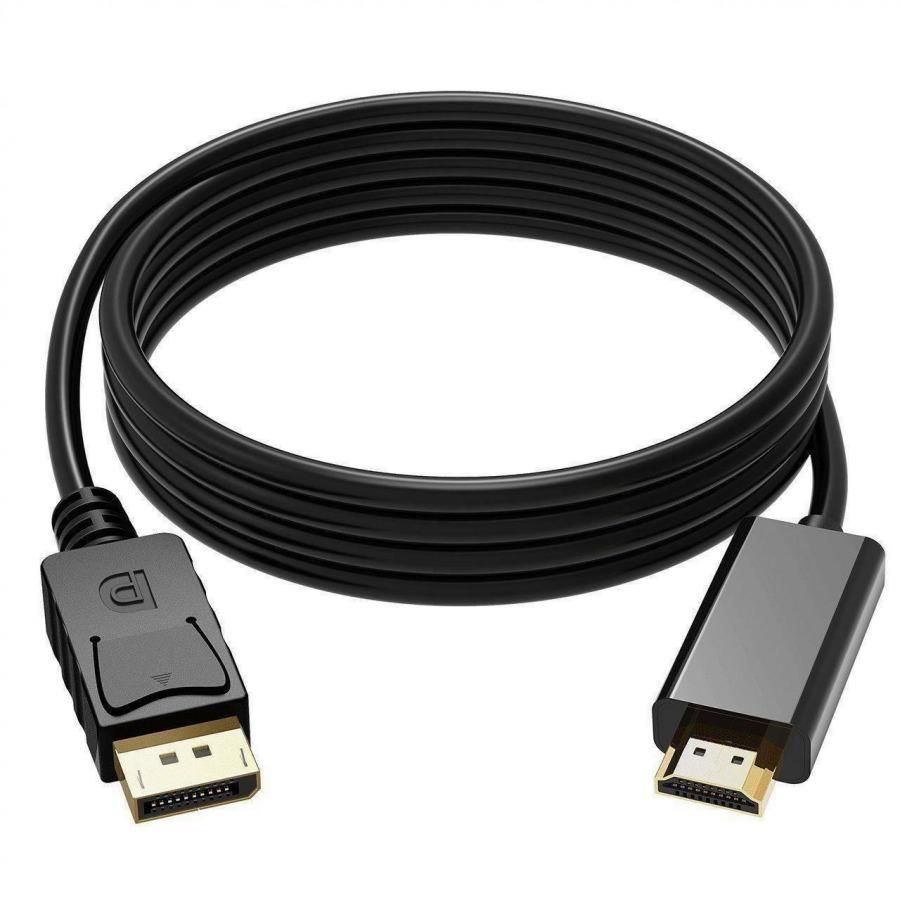
Display to Display Cable (DisplayPort to DisplayPort)
A Display to Display cable, commonly known as a DisplayPort to DisplayPort (DP to DP) cable, is designed to connect devices such as desktop computers, laptops, and graphic cards directly to monitors, projectors, or other displays that support DisplayPort input. This cable ensures high-quality digital video and audio transmission, making it an essential accessory for modern workstations, gaming setups, and multimedia environments.
DisplayPort technology was specifically developed for computers and professional displays, providing high bandwidth that supports high-resolution video, faster refresh rates, and enhanced color depth. Many modern graphics cards and monitors rely on DisplayPort connections because they offer better performance for tasks such as gaming, video editing, design work, and multi-monitor setups.
With a Display to Display cable, users can easily mirror or extend their computer display to another monitor without needing extra adapters. Whether you want a dual-monitor workstation, a larger screen for presentations, or an immersive gaming experience, this cable provides a reliable and stable connection.
High-Resolution Video Performance
One of the main advantages of a Display to Display cable is its ability to deliver high-resolution visuals with smooth performance. Most modern DisplayPort cables support resolutions up to 4K and even higher depending on the version used.
This means users can enjoy crystal-clear images, detailed graphics, and vibrant colors. Whether you are streaming videos, editing images, or playing games, the cable ensures that the signal from your computer to the monitor remains strong and stable.
DisplayPort cables are also capable of handling higher refresh rates, which is important for gamers and designers who require smooth motion and accurate visuals.
Reliable Digital Audio and Video Transmission
Unlike older analog cables, DisplayPort cables transmit pure digital signals, reducing interference and signal degradation. This ensures better picture clarity and more consistent performance during long hours of use.
Many DisplayPort cables also support digital audio transmission, meaning both sound and video can travel through the same cable without requiring separate connections. This simplifies setup and reduces cable clutter on your desk.
The technology also supports advanced features such as multi-stream transport (MST), which allows multiple monitors to be connected using a single DisplayPort output on compatible systems.
Durable Construction for Long-Term Use
A quality Display to Display cable is designed with durability in mind. Most models feature strong connectors, flexible insulation, and protective shielding to prevent signal interference and wear over time.
The connectors are often equipped with locking mechanisms or latches, which help prevent accidental disconnections when the cable is plugged into your device. This is especially useful in offices, gaming setups, and professional environments where stable connections are important.
The cable’s outer jacket is usually made from strong materials that resist bending, tangling, and daily wear, ensuring reliable performance for years.
Plug-and-Play Convenience
One of the biggest advantages of using a Display to Display cable is its simple plug-and-play functionality. No drivers, software, or complicated installation processes are required.
Just connect one end of the cable to your computer’s DisplayPort output and the other end to your monitor’s DisplayPort input. The system will automatically detect the display and allow you to configure screen settings such as extended display, duplicate display, or resolution preferences.
This makes it ideal for home users, office environments, IT technicians, and gamers who want a fast and straightforward display connection.
Ideal for Multiple Applications
A Display to Display cable is widely used in many environments due to its flexibility and high performance.
In office environments, it is commonly used to connect computers to large monitors or dual-screen workstations to improve productivity. Designers and video editors benefit from the cable’s ability to handle high resolutions and color accuracy.
Gamers also prefer DisplayPort cables because they support higher refresh rates and lower latency compared to many other display standards. This allows smoother gameplay and more responsive visuals.
Additionally, the cable is perfect for presentations, conference rooms, classrooms, and multimedia setups, where reliable video output is essential.